
Last updated June 2024
What is it?
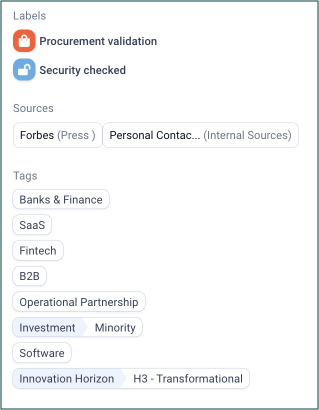
Labels allow you to categorize partners and projects, and can be seen quickly thanks to the use of colorful icons.
Unlike tags, which have three tiers of complexity (category, parent, and child), labels have only one tier. This makes them a simpler but more visual way to organize data.
How to use it?
Platform admins can work with the Customer Care Officer to choose the name, color, and icon of their labels. They can also choose which typologies they can be used with.
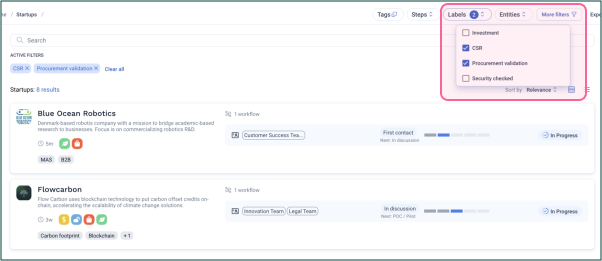
Users can filter your portfolio by labels on the right hand side of the portfolio page.
Recommendations
- Choose labels that are easy to understand and recognize.
- Use labels to group related items together. For example, use a label to group strategic partners, or active projects, or companies validated by an internal process such as finance or procurement.
- Use labels to track data by phase or stage. This is helpful for project-based organizations, as it allows users to quickly see where projects are in their development cycle.
Comments
0 comments
Article is closed for comments.